 Translate Peek
  SnapProof
  Lento
Lento 
macOS
VPN Peek
DNS Leak Detector & VPN Monitor
App Store
Freemium
Screenshots
About
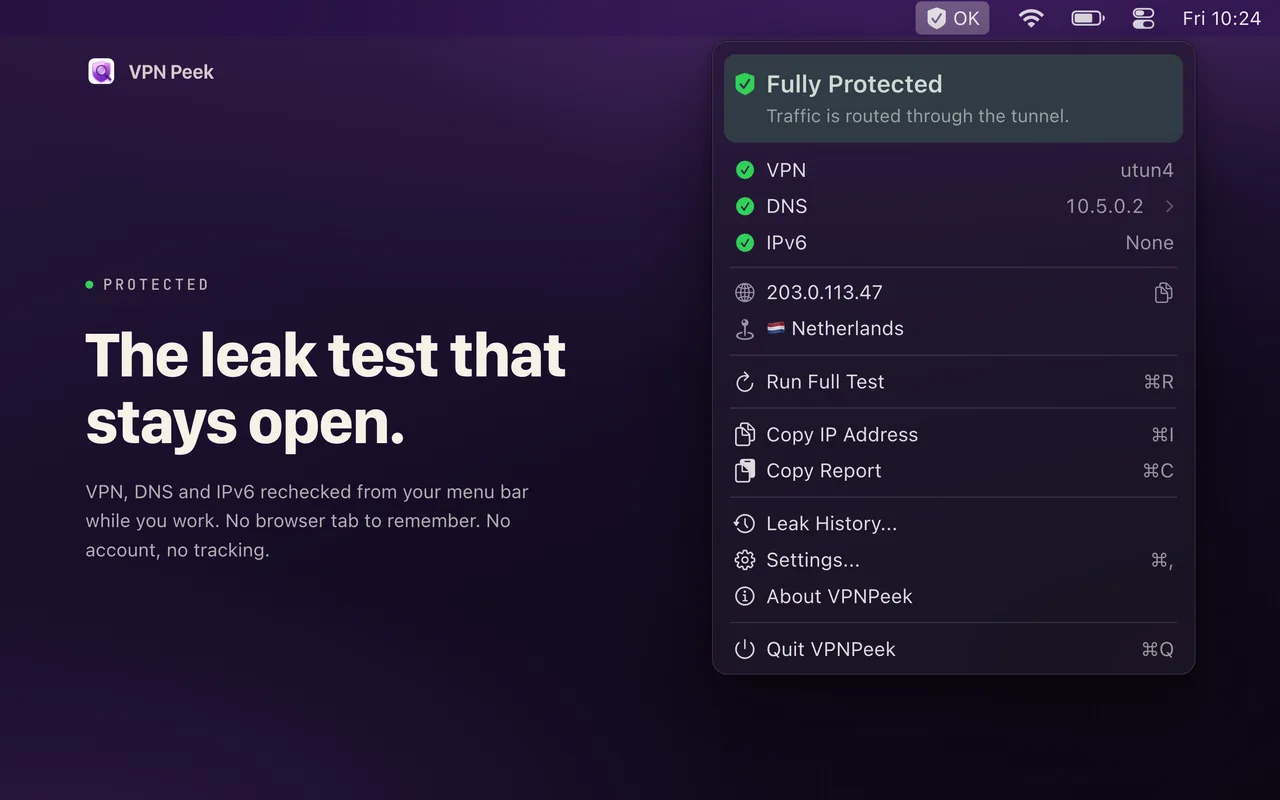
Running a VPN doesn’t guarantee your traffic is hidden. DNS queries and IPv6 connections can leak outside the tunnel without warning. VPN Peek watches your Mac’s network from the menu bar and tells you the moment something changes.
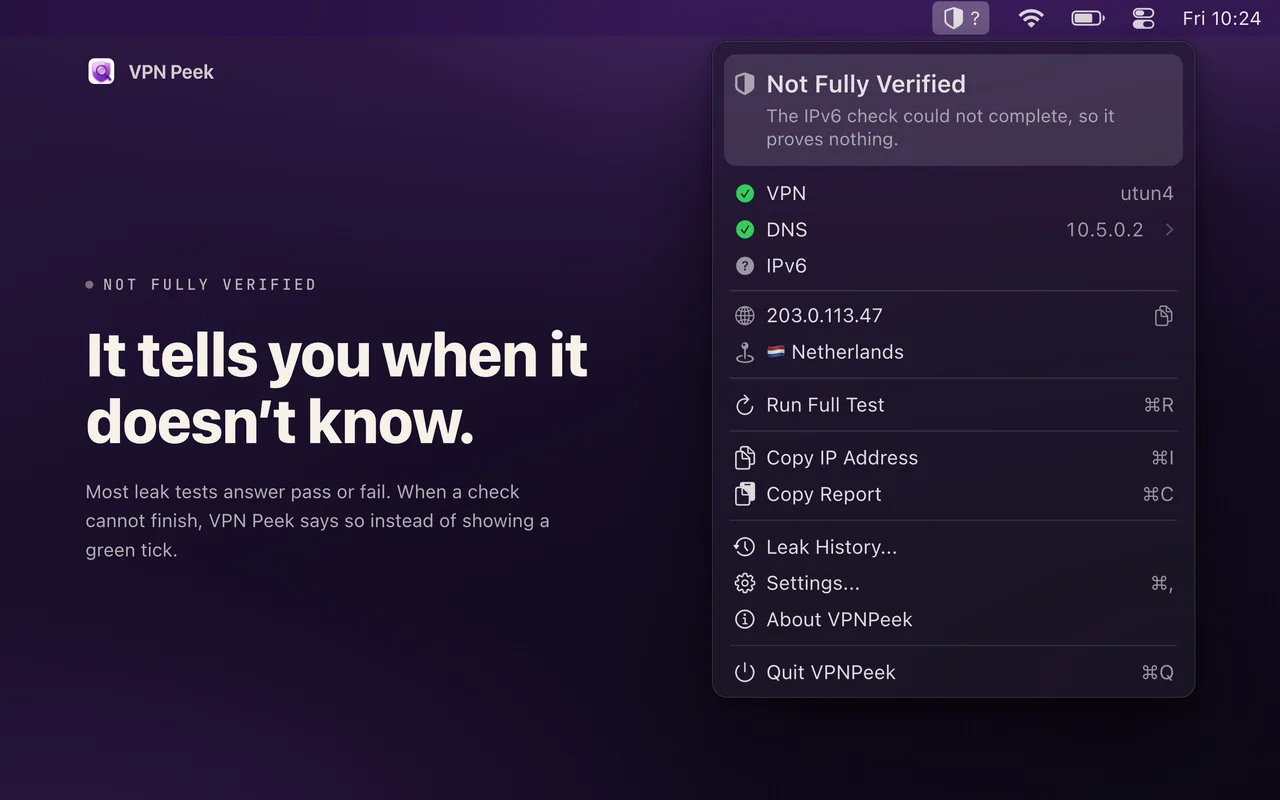
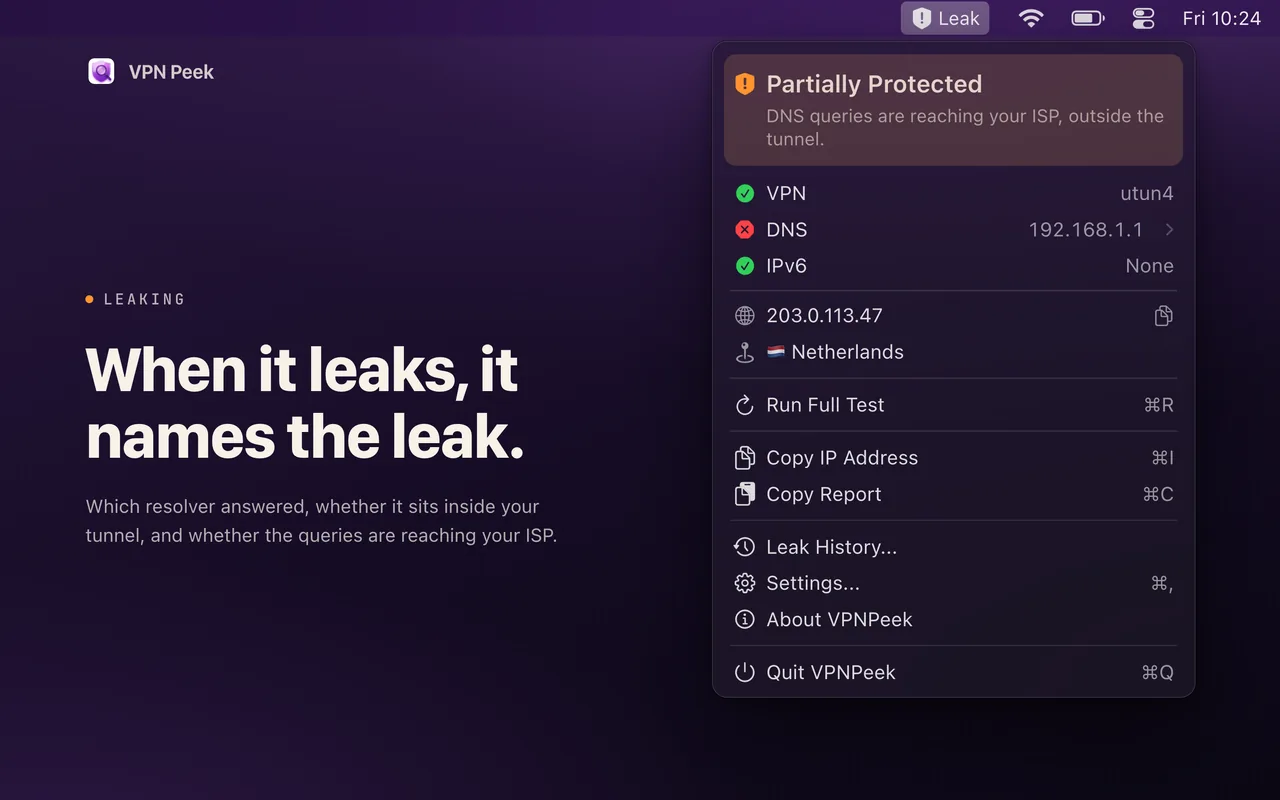
Most leak tests answer pass or fail. When a check cannot finish, VPN Peek says so instead of showing a green tick, so “protected” means something. And whether a resolver sits inside your tunnel is settled by where queries to it actually go, not by what its address looks like.
Features
- Three answers, not two - Every check reports protected, leaking, or could not verify. A test that cannot complete never passes as protection
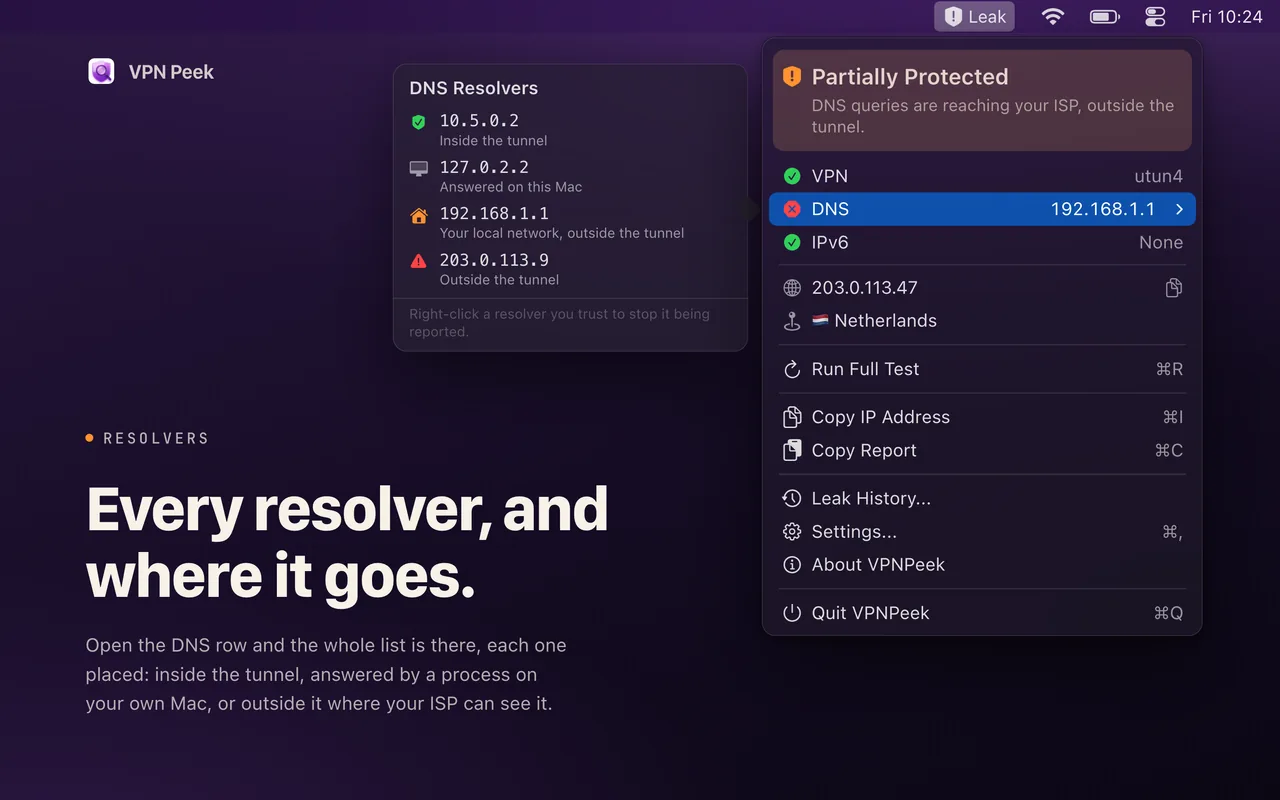
- DNS leak detection - See which resolver answered, whether it sits inside your tunnel, and whether queries are reaching your ISP
- IPv6 leak detection - Identify IPv6 traffic that bypasses the tunnel, with the exposed address named
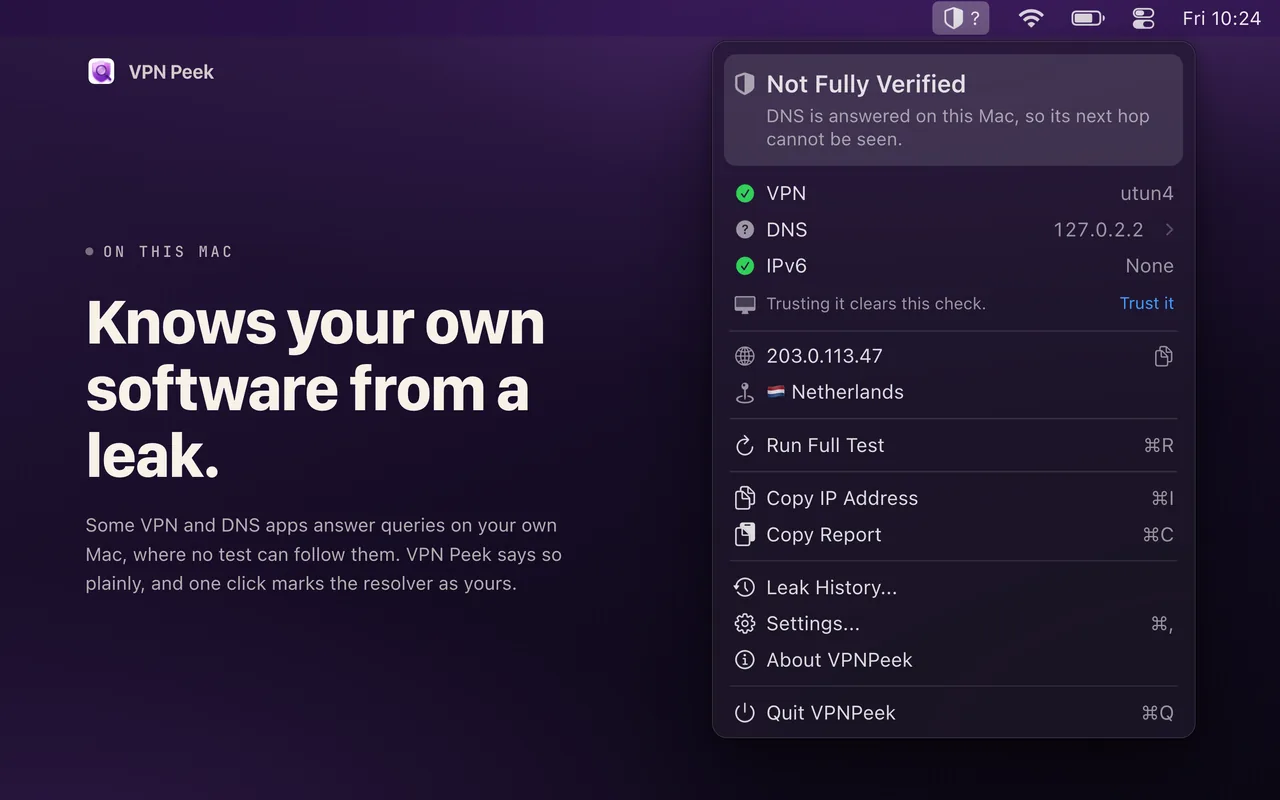
- Knows your own software from a leak - When something on your Mac answers DNS, VPN Peek names the situation instead of leaving you with half a shield, and one click vouches for it
- VPN tunnel detection - The interface in use and the provider when one can be identified
- Public IP and location - Your current address with one-click copy
- Auto-refresh on network changes - Rechecks when the network moves under you
- Runs on-device - No account, no tracking, no data leaving your Mac
Pro upgrade (one-time, not a subscription)
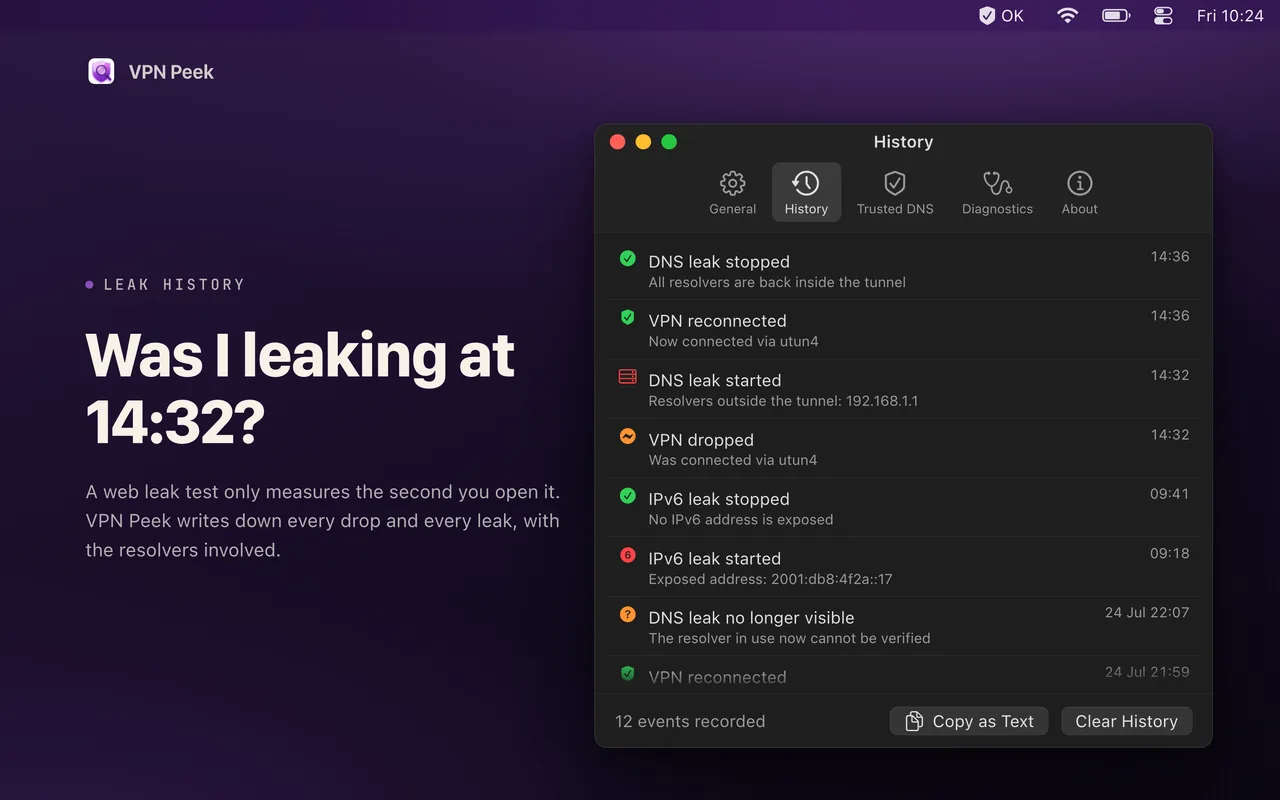
- Leak History - A timeline of every VPN drop and every leak, with the resolvers involved. A web leak test only measures the second you open it
- Full resolver list - Every DNS server with provider names and where each one sits
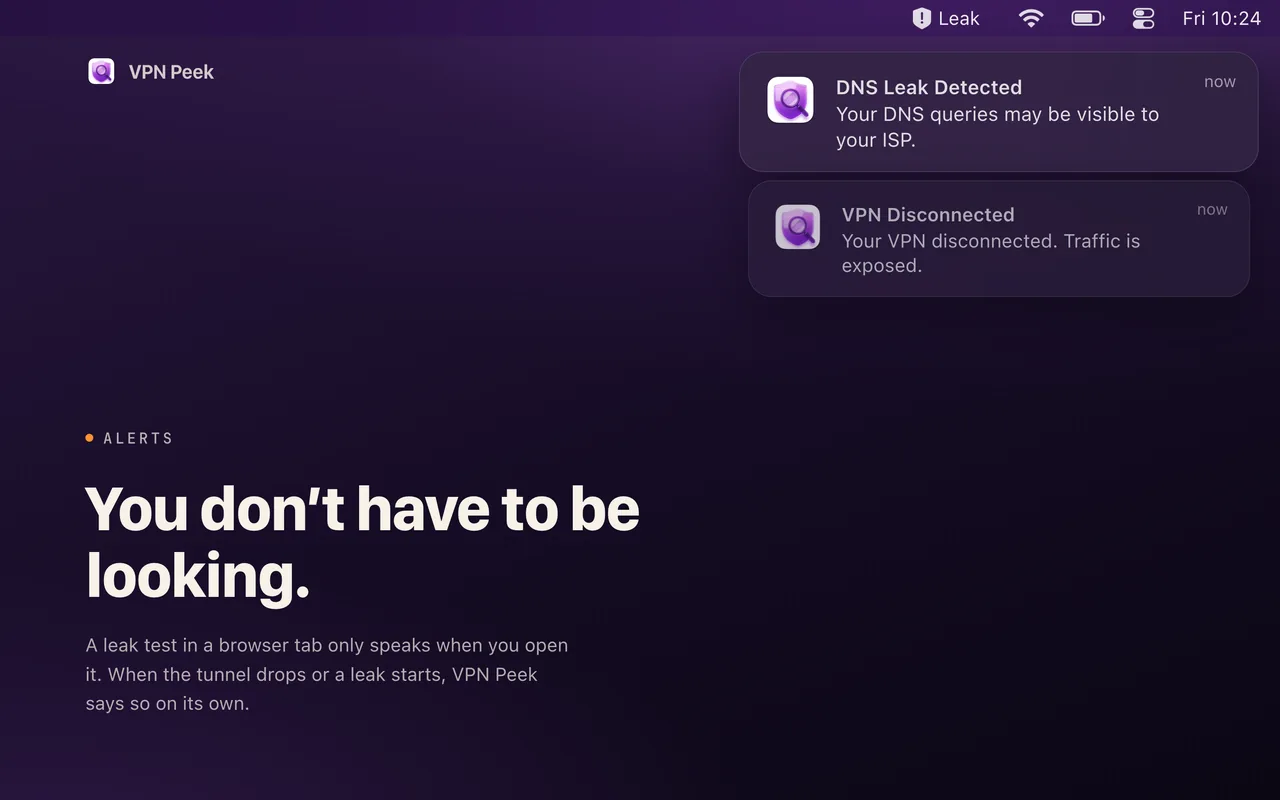
- Notifications - Alerts when your VPN disconnects or a leak appears, without the app being open
- IP geolocation and ISP details
- Six menu bar icon styles and display format options
- Adjustable refresh interval - 30 seconds to 10 minutes
- Split Tunnel Mode - Silences warnings for traffic you split on purpose
- Trusted resolvers - Add your own by hand
- Copy a full protection report to the clipboard
Requirements
- macOS 14.0 (Sonoma) or later
- Available in English, Japanese, Korean, Simplified and Traditional Chinese
Common questions
Is my data collected or shared?
No. VPN Peek runs entirely on your Mac. No analytics, no tracking, no data sent to servers. Your privacy is guaranteed.
Is VPN Peek free?
VPN Peek is free to download and the core features are free to use. An optional upgrade unlocks the full feature set. There are no ads either way.
What if I don't like the app?
Apple offers full refunds within 14 days of purchase, no questions asked. Request a refund directly through the App Store if you're not satisfied.
Does it slow down my Mac?
No. It's native SwiftUI with minimal resource usage. Menu bar monitoring uses negligible CPU and memory.
Which macOS version do I need?
VPN Peek requires macOS 14.0+. Works on both Intel and Apple Silicon Macs.