 Snapsift
  SnapProof
  Lento
Lento 
macOS
Storage Peek
Menu Bar Disk Space & Alert
App Store
$2.99
Screenshots

About
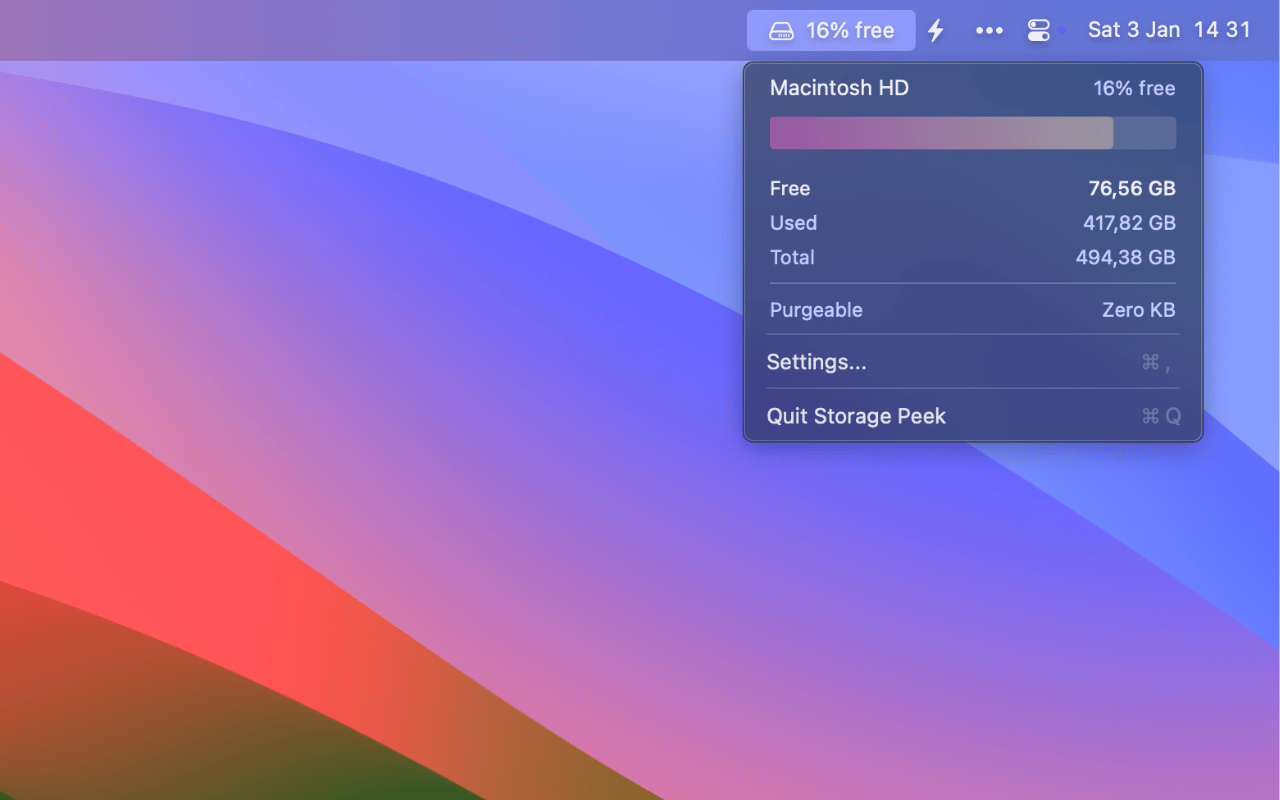
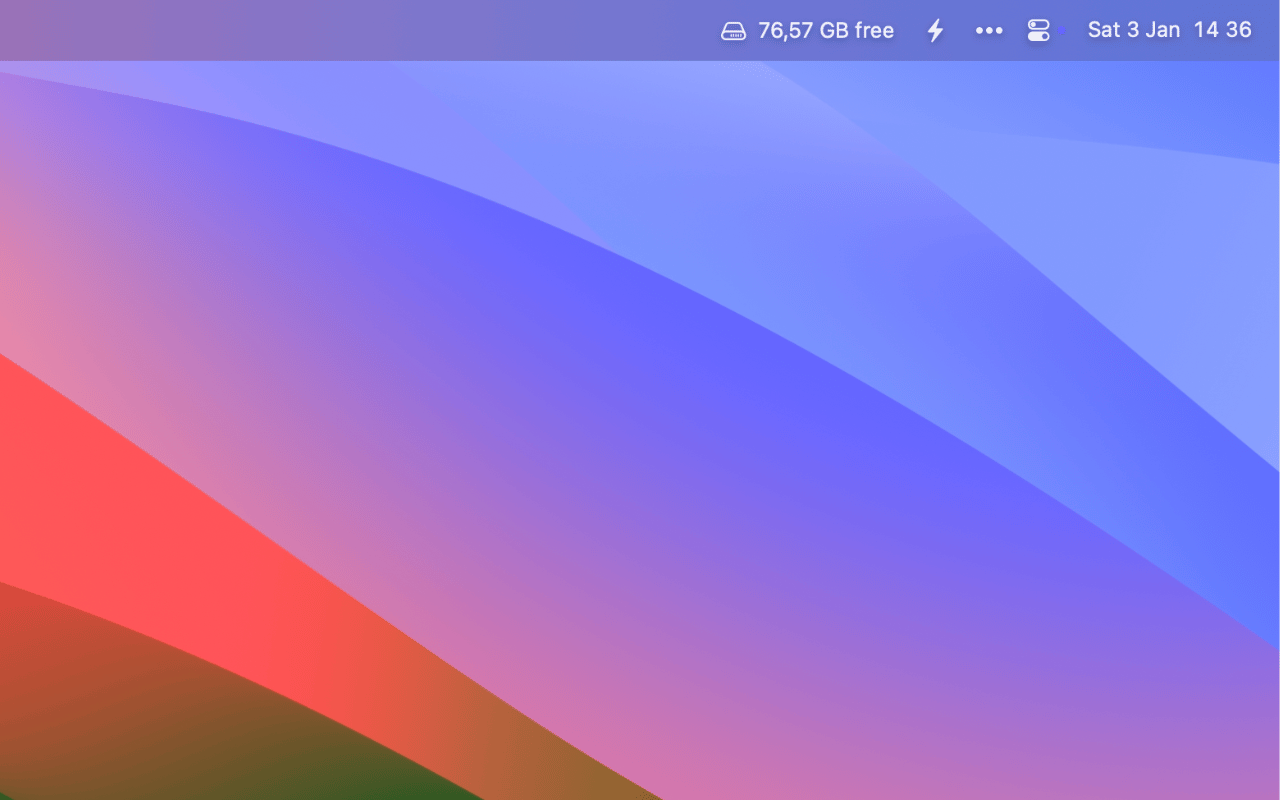
Storage Peek is a lightweight macOS utility for monitoring disk storage from the menu bar. Get instant visibility into your disk space usage with customizable display options and smart alerts when storage runs low.
No more surprise “disk full” errors. Storage Peek keeps you informed with real-time monitoring and proactive alerts, helping you manage your Mac’s storage effectively.
Features
- Menu Bar Monitoring - Always-visible disk space indicator in your menu bar
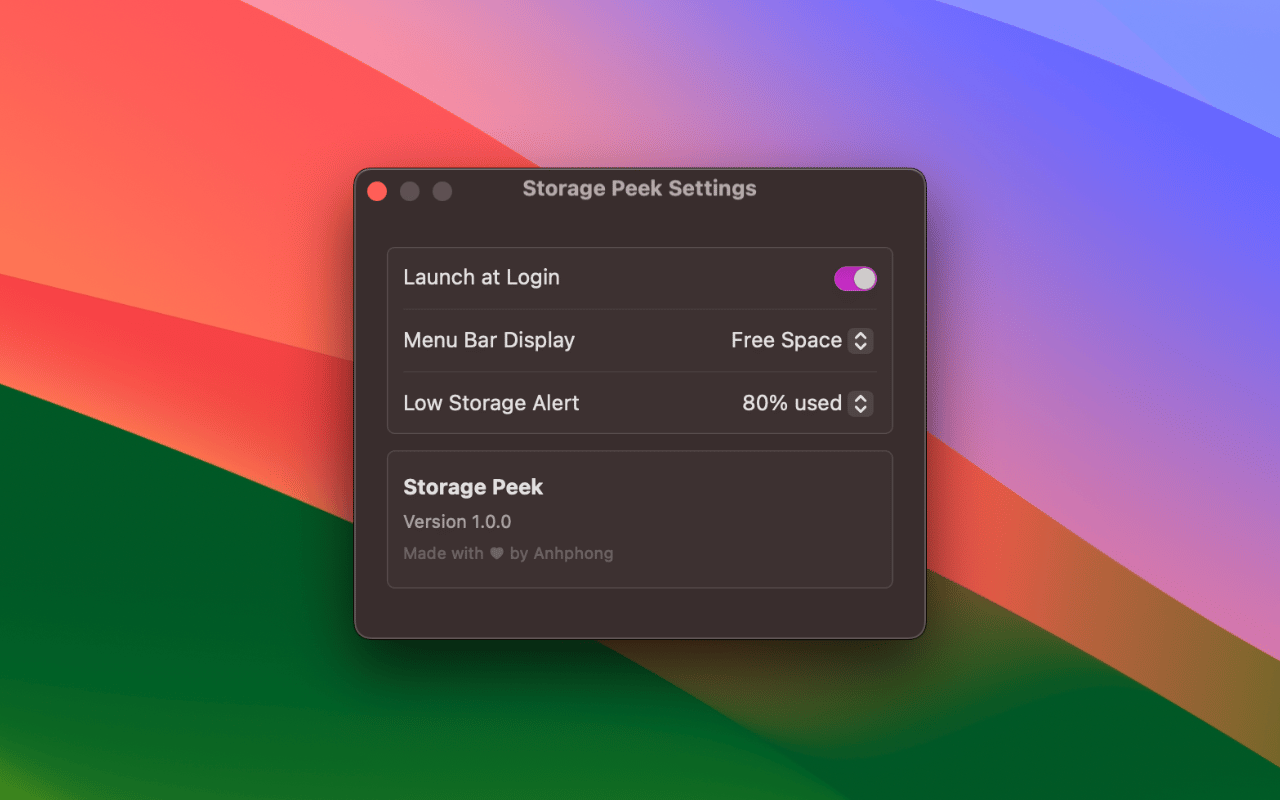
- Customizable Display - Choose between percentage, GB remaining, or icon-only display
- Low Storage Alerts - Smart notifications when storage drops below 80-95% capacity
- Detailed Storage Info - View total capacity, used space, and available space at a glance
- Native macOS Design - Clean interface that matches your system settings
- Launch at Login - Optional auto-start when you boot your Mac
- Minimal Resource Usage - Lightweight monitoring that won’t slow down your Mac
- Privacy First - No data collection or analytics, everything stays on your Mac
Requirements
- macOS 14.0 (Sonoma) or later
- Compatible with all Mac models
Common questions
Is my data collected or shared?
No. Storage Peek runs entirely on your Mac. No analytics, no tracking, no data sent to servers. Your privacy is guaranteed.
Is this a subscription?
No. It's a one-time purchase. Pay once, use forever. No recurring fees, no hidden costs.
What if I don't like the app?
Apple offers full refunds within 14 days of purchase, no questions asked. Request a refund directly through the App Store if you're not satisfied.
Does it slow down my Mac?
No. It's native SwiftUI with minimal resource usage. Menu bar monitoring uses negligible CPU and memory.
Which macOS version do I need?
Storage Peek requires macOS 14.0+. Works on both Intel and Apple Silicon Macs.